Oracle EBS Clone Issue: Site Profile Name Not Updating After Clone (Fix Inside)
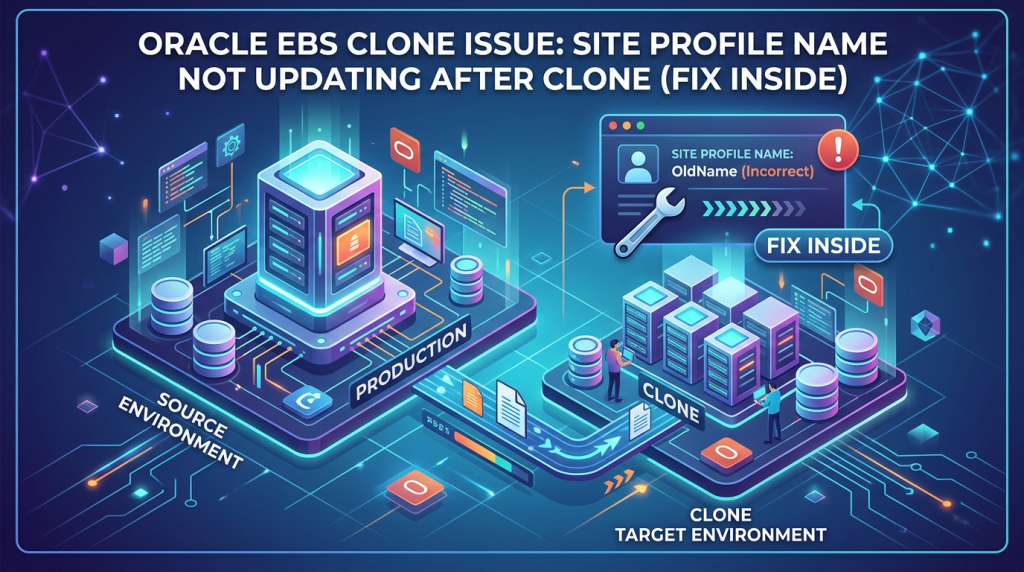
Table of Contents
Database cloning in Oracle E-Business Suite (EBS) is a critical operation for DBAs managing test, development, and disaster recovery environments. While cloning is expected to replicate environments seamlessly, post-clone inconsistencies can lead to confusion, validation failures, and operational risks.
One such common issue is:
Site Profile Name (SITENAME) not updating after clone refresh
In this article, we’ll break down:
- The root cause of this issue
- How to identify it quickly
- Step-by-step fix
- Best practices to avoid it in future
The Issue: Site Profile Name Not Updated After Clone
After completing a successful clone of Oracle EBS, during validation, we observed:
- The Site Profile Name still reflected old (source environment) values
- It did not update with the latest clone refresh date and time
- Environment identification became misleading for users and DBAs
SQL Used to Validate Site Name
SELECT profile_option_value AS site_name
FROM fnd_profile_option_values v,
     fnd_profile_options p
WHERE p.profile_option_name = 'SITENAME'
AND v.profile_option_id = p.profile_option_id;
Problem Observed
- Clone completed successfully
- But SITENAME remained unchanged
- Old environment details persisted
Why This Issue Matters
This is not just a cosmetic issue—it has real operational impact:
Risks
- Confusion between PROD / TEST / DEV environments
- Incorrect reporting and audit trails
- Users accessing wrong instance unknowingly
- Compliance issues in regulated environments
Root Cause
- The FND profile option ‘Site Name’ was not updated during the clone process.
- AutoConfig did not override the existing profile value.
- Context file parameters were not updated correctly to reflect NON-PROD values.
- Profile values retained from source (PROD) database during cloning.
- Missing post-clone validation steps.
Step-by-Step Fix
1. Verify current profile value:
SELECT profile_option_name, profile_option_value
FROM fnd_profile_option_values v, fnd_profile_options p
WHERE v.profile_option_id = p.profile_option_id
AND profile_option_name = ‘SITENAME’;
2. Update profile value:
EXEC FND_PROFILE.SAVE(‘SITENAME’, ‘<NONPROD_DBNAME>’, ‘SITE’);
COMMIT;
3. Source application environment:
. $APPL_TOP/APPS<CONTEXT_NAME>.env
4. Update context file:
vi $CONTEXT_FILE
(Update s_dbSid or relevant parameter)
5. Run AutoConfig:
cd $ADMIN_SCRIPTS_HOME
./adautoconfig.sh
6. Verify logs:
tail -f $APPL_TOP/admin/<CONTEXT_NAME>/log/adconfig.log
7. Validate application:
Login to application and confirm Site Name is updated correctly.
Revalidate Site Profile
Run the SQL again:
SELECT profile_option_value AS site_name
FROM fnd_profile_option_values v,
fnd_profile_options p
WHERE p.profile_option_name = ‘SITENAME’
AND v.profile_option_id = p.profile_option_id;
Final Outcome
After executing Auto-Config:
- Site Name updated correctly
- Database name reflected accurately
- Clone refresh date & time updated
- Environment consistency restored
Best Practices for DBAs
To avoid this issue in future cloning activities:
Always Include Post-Clone Checklist
- Run AutoConfig on both DB and Apps tier
- Validate SITENAME and profile options
- Verify context file updates
Automate Validation
- Use scripts to validate:
- Site name
- DB name
- Hostname
- Environment identifiers
Standardize Naming Convention
Example:
CLONE_DEV_2026APR09_1030AM
How to Avoid This Entire Problem with Automation
Manual cloning processes often lead to:
- Missed steps
- Configuration inconsistencies
- Time-consuming validations
This is where automation platforms like Clonetab come in.
With Clonetab You Get:
- Automated Oracle EBS cloning
- Auto-updated environment parameters
- 80% storage savings with virtualization
- Faster clones (hours → minutes)
- Built-in validation & consistency checks
Key Takeaway
If your Oracle EBS clone shows incorrect Site Profile Name, the fix is simple:
👉 Run AutoConfig on the application tier
But for long-term efficiency:
👉 Automate your cloning process to eliminate manual errors
FAQs
1. Why is SITENAME not updating after Oracle EBS clone?
Because AutoConfig was not executed post-clone, leaving profile options unchanged.
2. How to update Site Profile Name in Oracle EBS?
Run AutoConfig on the application tier using adautocfg.sh.
3. Is this issue critical?
Yes, it can cause environment confusion and impact operations.
4. Can this be automated?
Yes, tools like Clonetab automate cloning and configuration updates.
Final Thoughts
Post-clone validation is just as important as the cloning process itself. Small issues like SITENAME mismatch can lead to bigger operational risks if ignored.
If your team is still relying on manual cloning:
It’s time to rethink your DBA strategy.
Need Faster, Error-Free Oracle EBS Cloning?
Explore how Clonetab can help you:
- Reduce cloning time from days to minutes
- Eliminate manual errors
- Optimize storage and cost
👉 Visit: https://clonetab.com/