Why Workflow Systems Are Essential for Modern Applications
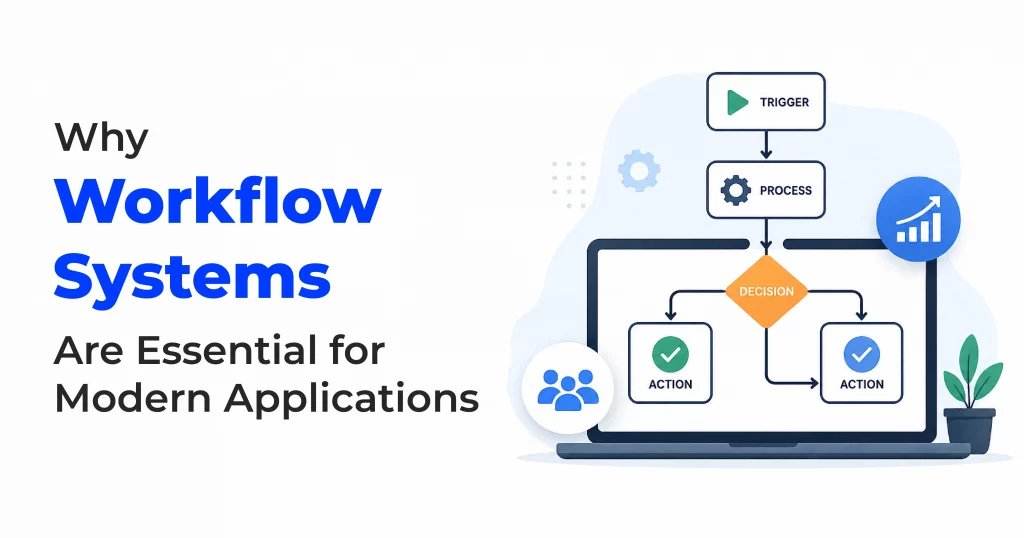
Table of Contents
In many organizations, processes evolve organically—tasks are passed through emails, approvals happen over chats, and responsibilities are often unclear. While this might work at a small scale, it quickly becomes chaotic as systems grow.
This is where workflow systems come into play.
What Happens Without a Workflow?
- Lack of structure – Tasks are handled randomly without a clear sequence
- Heavy manual dependency – Over-reliance on emails, chats, and verbal communication
- No accountability – Difficulty in tracking who is responsible for what
- Delayed approvals – Missed or slow approvals due to poor visibility
- Data inconsistency – Multiple conflicting versions of the same data
- Poor tracking – No centralized way to monitor progress
- Higher error rates – Manual processes increase mistakes
- Inefficiency – Time wasted on follow-ups and coordination
In short, processes become slow, disorganized, and error-prone.
What Is a Workflow?
A workflow is a structured sequence of tasks executed in a defined order to achieve a specific goal.
It clearly defines:
– What needs to be done
– Who needs to do it
– When and how it should be done
Workflows help automate processes and minimize manual intervention, bringing consistency and clarity.
Why Do We Use Workflow Systems?
- Automate repetitive tasks
- Ensure proper task sequencing
- Improve efficiency and productivity
- Reduce human errors
- Enable real-time tracking and monitoring
- Maintain accountability
- Standardize business processes
- Speed up approvals and decision-making
How Workflow Concepts Drive Real Business Efficiency
In our application, these workflow concepts are designed to simplify operations and enhance user experience. The Cloning feature allows users to quickly replicate existing workflows, saving time and ensuring consistency across similar processes. The Refresh functionality keeps all workflow data up to date, providing accurate, real-time visibility into ongoing activities. With Scramble, workflows can be easily adjusted to accommodate changing business needs, offering greater flexibility. Additionally, the Self-service task capability enables users to initiate and manage workflows independently, reducing dependence on technical teams and accelerating execution.
Together, these features demonstrate how our workflow system supports efficient, flexible, and user-friendly business operations while improving overall productivity and decision-making.
Key Features of a Workflow System
1. Multiple Instance Support
- A single workflow definition can handle multiple instances.
- Each instance can represent different sources or targets.
- Useful when the same process applies to multiple datasets, customers, or systems.
2. Multiple Sources and Targets
- A single workflow can connect to multiple source systems and multiple target systems.
- Enables flexible data processing, integration, and routing.
3. Multiple Approvers
- A workflow can include multiple approvers at different stages.
- Supports:
- Sequential approvals (one after another)
- Parallel approvals (several at the same time)
4. Sequential and Parallel Execution
- Tasks can be executed:
- Sequentially: one step after the previous completes
- In parallel: multiple steps running at the same time
- This allows optimization based on business and performance needs.
5. Flexible Approval Methods
- Users can approve tasks through:
- A user interface (web or app)
- Email-based approval flows
- This flexibility improves convenience and response time.
6. Notifications and Alerts
- Automatic notifications for:
- New task assignments
- Approval requests
- Completion or failure updates
7. Scalability
- Designed to handle growing workloads.
- Suitable for enterprise-level and high-volume applications.
8. Auto-Generated Workflow Names
- Prevents duplicates and improves organization.
Conclusion
Workflow systems help organizations automate processes, manage multiple systems (sources/targets), enable flexible approvals, and improve efficiency. With features like multiple instances, multiple approvers, and user choice approvals (UI/email), workflows become powerful, scalable, and user-friendly.
With workflows, processes become organized, transparent, and reliable. Without workflows, they remain chaotic, slow, and prone to errors.