How We Fixed the ADOP fs_clone ETCC Validation Failure in Oracle EBS 12.2
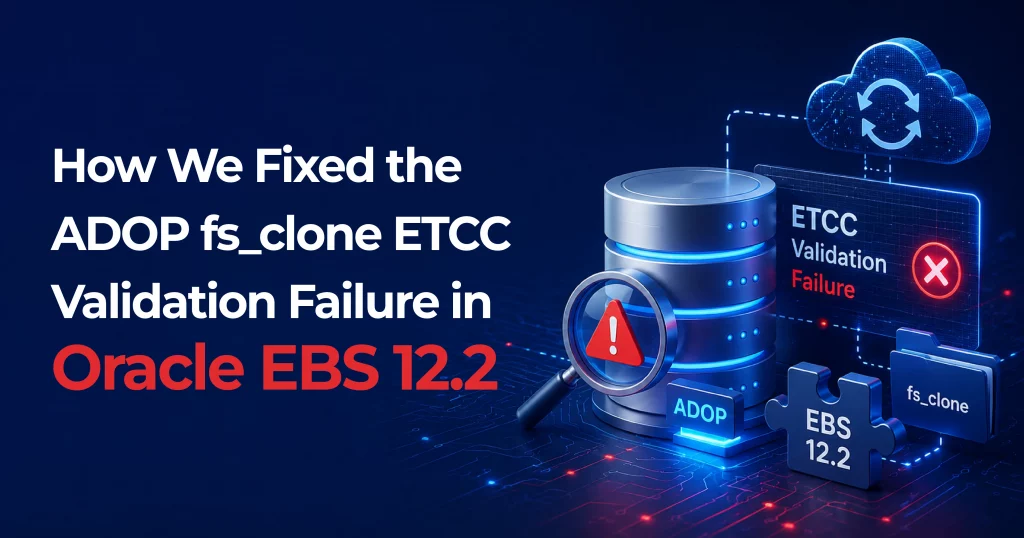
Table of Contents
We kicked off adop phase=fs_clone as usual — and then it stopped dead with a validation error that blocked everything from moving forward:
[ERROR] ETCC not run in the database node oradb01t

[WARNING] MTCC has not been run
If you’ve worked with Oracle EBS 12.2 and ADOP for any length of time, you know that ETCC (Environment Technology Compliance Check) is a hard gate. ADOP will not let you proceed with fs_clone until it can confirm the required database patches are applied. So this was not something we could skip — we had to dig in.
| Environment Details | |
| Product | Oracle E-Business Suite 12.2 |
| Database Oracle Home | /oracle/MYDB/12.1.0 |
| ADOP Phase | fs_clone |
| Server Node | myserver |
Investigation & Root Cause Discovery
ETCC (Environment Technology Compliance Check): is Oracle’s mechanism to verify that mandatory database patches are in place before online patching operations. It exists because ADOP’s fs_clone phase performs file system-level operations that depend on specific DB-level bug fixes being present — skipping this check could cause data corruption or unpredictable behavior during patching.”
1. Verified ETCC Files Were Present
Before assuming ETCC had never been run, we confirmed the scripts existed on the database tier.
cd $ORACLE_HOME/appsutil/etcc

ls -l
Files found: checkDBpatch.sh, checkMTpatch.sh, and Patch 17537119 files. So ETCC was not missing — it was failing. This pointed to an execution problem rather than a setup problem.
2. Ran ETCC Manually to Expose the Real Error
Running checkDBpatch.sh directly revealed the underlying problem.
./checkDBpatch.sh


Inventory load failed...

LsPatchesSession failed: RawInventory gets null OracleHomeInfo


Error running opatch. Error code : 2

Cannot confirm bugfixes applied to the Database ORACLE_HOME.
The real problem was not ETCC itself — it was OPatch failing to read the Oracle Inventory. ETCC depends on OPatch to verify installed patches, and OPatch was returning empty.
3. Confirmed OPatch Could Not Read the Inventory
A direct OPatch check confirmed the scope of the inventory issue.
“OPatch is Oracle’s patching utility. ETCC calls OPatch internally to query which patches are installed in the Oracle Home. If OPatch cannot read the inventory, it returns null — making ETCC unable to confirm patch compliance, even if all patches are actually present.”
opatch lsinventory


Oracle Home : /oracle/MYDB/12.1.0


List of Homes on this system:

  Home name= OraDB19Home1

  Location= /oracle/mydb/19.0.0


LsInventorySession failed: RawInventory gets null OracleHomeInfo

OPatch failed with error code 73
OPatch could see a 19c Oracle Home in the inventory — but could not find the 12.1.0 Oracle Home that was actually in use. The inventory was pointing to the wrong home entirely.
4. Traced the Inventory Pointer
Confirmed which inventory the 12.1.0 home was configured to use.
“Oracle maintains a Central Inventory (inventory.xml) that tracks all registered Oracle Homes on a server.
Each Oracle Home points to this inventory via oraInst.loc. When an Oracle Home is not listed in the active inventory, OPatch cannot ‘see’ it — even if its binaries are completely intact on disk.”
cat /oracle/MYDB/12.1.0/oraInst.loc


inventory_loc=/oracle/MYDB/oraInventory

inst_group=dba30
The 12.1.0 home pointed to /oracle/MYDB/oraInventory. Next step: check what was actually in that inventory file
5. Compared Active and Old Inventories
This comparison revealed exactly what was missing and why.
“-attachHome is an OUI (Oracle Universal Installer) mode that re-registers an existing Oracle Home into the Central Inventory without touching any binaries, config files, or installed patches. It only writes a new entry into inventory.xml. This is why it completes in seconds and carries zero risk.”
Current Inventory — only contained the 19c entry:
cat /oracle/MYDB/oraInventory/ContentsXML/inventory.xml


HOME NAME="OraDB19Home1"

LOC="/oracle/MYDB/19.0.0"
Old Inventory — contained the correct 12.1.0 entry:
cat /oracle/MYDB/oraInventory_old/ContentsXML/inventory.xml


HOME NAME="MY_DB__oracle_MYDB_12_1_0"

LOC="/oracle/MYDB/12.1.0"
Finding: The active inventory was refreshed or replaced — most likely during 19c home installation activity.
The 12.1.0 Oracle Home registration was overwritten, leaving only the unused 19c entry.
The 12.1.0 binaries themselves were completely healthy — only the registration was missing
6. Validated the Old Inventory Was Healthy
Before taking action, we confirmed the old inventory and Oracle Home were genuinely intact.
cat > /tmp/oraInst_old.loc <<EOF

inventory_loc=/oracle/MYDB/oraInventory_old

inst_group=dba30

EOF


/oracle/MYDB/12.1.0/OPatch/opatch lsinventory \

  -invPtrLoc /tmp/oraInst_old.loc


# Result: Command completed successfully.
OPatch ran successfully using the old inventory. This confirmed the Oracle Home binaries were healthy, OPatch was working, and only the current inventory registration was the problem.
The Fix: Re-Attach the Oracle Home
With the investigation complete, the resolution was straightforward. We used Oracle Universal Installer’s silent attach mode to re-register the 12.1.0 Oracle Home back into the active central inventory.
cd /oracle/MYDB/12.1.0/oui/bin


./runInstaller -silent \

  -attachHome \

  ORACLE_HOME="/oracle/MYDB/12.1.0" \

  ORACLE_HOME_NAME="MYDB_DB__oracle_MYDB_12_1_0"


# Result: Oracle Home successfully registered in central inventory.
The command completed in seconds. No binaries were touched. No reinstallation required. The 12.1.0 Oracle Home was now visible in the active inventory.
Verification Steps
# 1. Verify OPatch can read inventory

/oracle/MYDB/12.1.0/OPatch/opatch lsinventory

# → Completed successfully, no errors


# 2. Re-run ETCC

cd $ORACLE_HOME/appsutil/etcc

./checkDBpatch.sh

# → ETCC completed successfully

# → Warning: patch 31001106 missing (non-blocking)


# 3. Re-run ADOP fs_clone

adop phase=fs_clone

# → Validation passed. Session started. fs_clone proceeded normally.
Root Cause Summary
The active Oracle Central Inventory was replaced during 19c home installation activity, causing the 12.1.0 Oracle Home to lose its registration. OPatch could not locate the home, ETCC could not run patch checks, and ADOP correctly reported the ETCC gate as failed.
| Component | Status | Detail |
| 12.1.0 Oracle Home Binaries | ✓ Healthy | Intact, no corruption |
| OPatch Installation | ✓ Healthy | Working with correct inventory |
| Old Inventory (oraInventory_old) | ✓ Valid | Contained correct 12.1.0 entry |
| Active Inventory (oraInventory) | ✗ Missing Entry | Only had 19c home — 12.1.0 was absent |
Key Takeaways for Oracle DBAs
- When ADOP says “ETCC not run,” run checkDBpatch.sh manually first. The ADOP message is a symptom — the real error will be in the ETCC output.
- OPatch error code 73 almost always means an inventory problem. Check inventory.xml directly and compare to any backup directories before reinstalling anything.
- -attachHome is your friend. If an Oracle Home is intact but missing from inventory, re-registration takes seconds with zero risk to binaries.
- Always check for old inventory directories. oraInventory_old and similar backups are invaluable for diagnosing what changed.
- Distinguish ETCC warnings from errors. Missing patches (like 31001106) are warnings and won’t block ADOP the same way a hard ETCC failure will.
Commands Quick Reference
| Command | Purpose |
| ./checkDBpatch.sh | Run ETCC manually |
| opatch lsinventory | Check OPatch inventory |
| opatch lsinventory -invPtrLoc /tmp/oraInst_old.loc | Test with alternate inventory |
| runInstaller -silent -attachHome … | Re-attach Oracle Home |
| adop phase=fs_clone | Re-run ADOP fs_clone |
FAQs
Q1: What error did ADOP report during fs_clone validation?
A: ADOP reported [ERROR] ETCC not run in the database node oradb01t and [WARNING] MTCC has not been run, which blocked the fs_clone phase from proceeding.
Q2: How was the old inventory used in the investigation?
A: A temporary inventory pointer file was created pointing to oraInventory_old, and opatch lsinventory -invPtrLoc /tmp/oraInst_old.loc was run. It completed successfully, confirming the Oracle Home and OPatch were both healthy — only the current inventory registration was the problem.
Q3: Were there any warnings after ETCC ran successfully?
A: Yes, two non-blocking warnings: database patch 31001106 was missing and needed to be applied, and checkMTpatch.sh (MTCC) had not yet been run. These did not block ADOP.
Q4: What is the key lesson for DBAs from this issue?
A: When ADOP says “ETCC not run,” don’t assume ETCC was never executed — run checkDBpatch.sh manually to see the real error. Also, OPatch error code 73 almost always signals an inventory problem. If the Oracle Home binaries are intact, the -attachHome option re-registers the home in seconds without touching any files.