Database Backup vs Disaster Recovery: Key Differences Every DBA Must Know
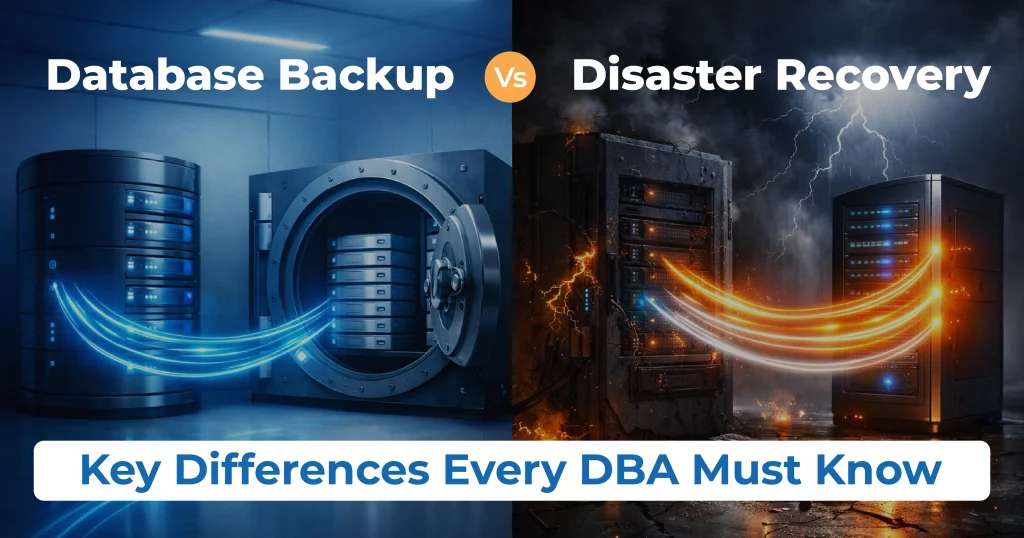
Table of Contents
In modern enterprises, databases power critical business operations. Any data loss or downtime can lead to financial loss, compliance issues, and reputational damage. For DBAs, two terms are central to data protection: Database Backup and Disaster Recovery (DR).
Although often used interchangeably, database backup and disaster recovery serve different purposes. Understanding the difference is essential for building a reliable and scalable database protection strategy.
Database Backup vs Disaster Recovery (Quick Definition)
Database Backup is the process of creating copies of database data so it can be restored after accidental deletion, corruption, or failure.
Disaster Recovery (DR) is a strategy that ensures databases and applications remain available or can be quickly restored during major outages such as data center failures or cyberattacks.
In simple terms:
- Backup protects data
- Disaster recovery protects business continuity
Key Differences Between Database Backup and Disaster Recovery
| Aspect | Database Backup | Disaster Recovery |
| Purpose | Data restoration | Service availability |
| Scope | Database data only | Entire environment |
| Downtime | High | Minimal |
| RTO | Hours or days | Minutes |
| RPO | Depends on backup frequency | Near-zero |
| Automation | Limited | High |
| Disaster Coverage | Logical issues | Physical & regional failures |
What Database Backup Is Used For
Database backups are primarily designed to recover from:
- Accidental data deletion
- Logical corruption
- Application errors
- Failed patches or upgrades
- User mistakes
Common Backup Types
- Full backups
- Incremental and differential backups
- Logical exports
- Snapshot-based backups
While backups are essential, restoring large enterprise databases (5TB+) can take hours or even days, making backups alone insufficient for critical systems.
What Disaster Recovery Is Used For
Disaster recovery focuses on keeping systems operational during major incidents such as:
- Data center outages
- Hardware failures
- Natural disasters
- Ransomware attacks
- Cloud region failures
DR typically includes:
- Standby or replica databases
- Replication (synchronous or asynchronous)
- Automated failover and failback
- DR runbooks and testing
Disaster recovery ensures low downtime, but it does not replace backups.
Why Backup Alone Is Not Enough
Many organizations rely only on backups and assume they are protected. This is risky.
Backup-only strategies fail because:
- Restore times are too slow for business SLAs
- Manual recovery steps increase error risk
- Entire sites or regions cannot be recovered quickly
- Downtime impacts revenue and customer trust
Why Disaster Recovery Without Backup Is Also Risky
Disaster recovery ensures availability, but it cannot protect against:
- Logical corruption (replicates instantly)
- Accidental deletions
- Ransomware encryption spreading to replicas
Backups provide point-in-time recovery, which DR alone cannot guarantee.
The Modern DBA Approach: Backup + Disaster Recovery
For enterprise databases, the best practice is to combine backup and disaster recovery.
- Backups ensure data integrity and historical recovery
- Disaster recovery ensures uptime and continuity
Together, they protect against both operational errors and catastrophic failures.
Challenges in Large Oracle & ERP Environments
Organizations running Oracle Databases, Oracle E-Business Suite (EBS), and ERP systems face additional challenges:
- Large data volumes
- Complex dependencies
- Strict uptime SLAs
- Compliance and audit requirements
Traditional backup and DR tools often struggle with performance, complexity, and manual effort.
How Clonetab Simplifies Backup and Disaster Recovery
Clonetab is a DBA Acceleration Platform that unifies database backup, disaster recovery, and automation in a single solution.
Clonetab Backup Benefits
- Snapshot-based backups with minimal performance impact
- Fast point-in-time recovery
- Immutable backups for ransomware protection
- Policy-driven automation
Clonetab Disaster Recovery Benefits
- Near-zero RPO replication
- Rapid failover and failback
- Cross–data center and cross-cloud DR
- Automated DR testing
Clonetab is purpose-built for large Oracle and ERP databases, helping DBAs restore multi-terabyte databases in minutes instead of hours.
Database backup and disaster recovery are not the same—but both are essential.
- Backup protects your data
- Disaster recovery protects your business
For modern enterprises, relying on one without the other creates unnecessary risk. By combining automated backups, rapid recovery, and disaster resilience, DBAs can meet business expectations and reduce operational stress.

Struggling with slow restores or complex disaster recovery?
Clonetab helps enterprises automate database backup and disaster recovery, reducing downtime from hours to minutes for Oracle and ERP environments.
FAQs
No. Backup restores data after loss, while disaster recovery keeps systems running during outages.
Yes. Backups alone cannot meet low RTO requirements during major failures.
No. DR cannot recover from logical corruption or accidental deletion.
An automated platform like Clonetab, which combines snapshot-based backup, near-zero RPO DR, and self-service recovery.