How to Automate Multi-Layer Backups in Oracle DBs (Step-by-Step Guide)
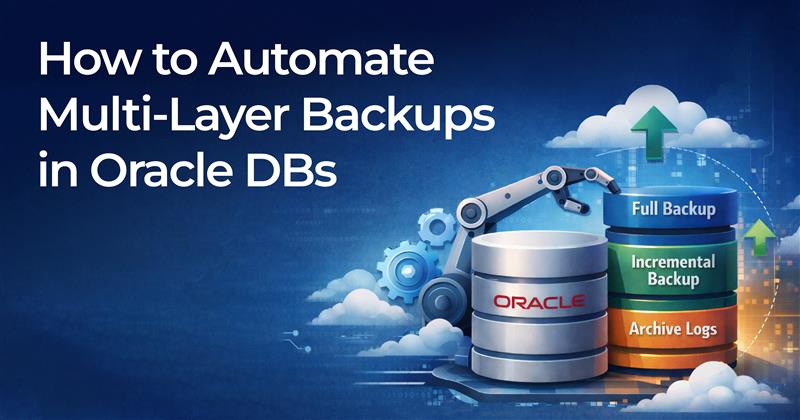
Table of Contents
Automate multi-layer backups in Oracle databases is not optional—it’s mission-critical. From accidental deletions to ransomware attacks and infrastructure failures, businesses must ensure their Oracle data is protected across multiple layers.
In this guide, you’ll learn how to design, implement, and automate a multi-layer backup strategy for Oracle DBs using best practices—plus how solutions like Clonetab can simplify the entire process.
What Is a Multi-Layer Backup Strategy?
A multi-layer backup strategy protects your Oracle database at different levels to minimize data loss and downtime.
Typical layers include:
- Full Database Backups – Complete backup of the database.
- Incremental Backups – Only changes since the last backup.
- Archived Redo Log Backups – Capture real-time transactions.
- Offsite / Cloud Replication – Disaster recovery protection.
- Table-Level or Object-Level Backups – Granular data recovery.
This layered approach ensures both high availability (HA) and disaster recovery (DR) readiness
Why Automate Oracle Database Backups?
Manual backups increase risk. Automate Multi-layer backups provides:
- Reduced human error
- Consistent backup schedules
- Faster recovery times
- Compliance with data governance policies
- Lower operational overhead
Automation also ensures backups run even during off-hours or high-load periods.
Step 1: Use Oracle RMAN for Core Backup Automation
Oracle Recovery Manager (RMAN) is Oracle’s built-in tool for backup and recovery.
Configure RMAN Retention Policy
CONFIGURE RETENTION POLICY TO RECOVERY WINDOW OF 7 DAYS;Schedule Full Weekly Backup
rman target /
RUN {
  BACKUP AS COMPRESSED BACKUPSET DATABASE PLUS ARCHIVELOG;
}
Schedule Daily Incremental Backups
BACKUP INCREMENTAL LEVEL 1 DATABASE;Use cron (Linux) or Task Scheduler (Windows) to automate execution.
Step 2: Automate Archived Redo Log Backups
Enable ARCHIVELOG mode:
SHUTDOWN IMMEDIATE;
STARTUP MOUNT;
ALTER DATABASE ARCHIVELOG;
ALTER DATABASE OPEN;

Schedule log backups every 30–60 minutes:
BACKUP ARCHIVELOG ALL DELETE INPUT;
This ensures minimal data loss in case of failure.Step 3: Implement Offsite and Cloud Replication
A multi-layer strategy requires offsite storage:
- Cloud object storage (OCI, AWS S3, Azure Blob)
- Secondary data center
- Encrypted remote servers
Consider:
- RMAN SBT integration
- Oracle Data Guard for standby replication
- Secure VPN transfers
Oracle Data Guard can automate synchronization to a standby database for near-zero downtime.
Step 4: Automate Table-Level and Granular Backups
Sometimes you don’t need full database recovery—you need a single schema or table.
Options include:
- Oracle Data Pump (expdp / impdp)
- Flashback Table
- Snapshot cloning tools
Granular backup automation reduces downtime and speeds up development refresh cycles.
Step 5: Monitor and Validate Backups Automatically
Backup automation is incomplete without validation.
Use:
RESTORE DATABASE VALIDATE;
Also automate:
- Email alerts
- Backup log monitoring
- Disk usage tracking
- Periodic recovery testing
Monitoring ensures your backups are usable—not just stored.
How Clonetab Automate Multi-Layer Backups for Oracle Databases
While RMAN and Data Guard are powerful, managing scripts, schedules, validations, and granular cloning manually can be complex.
Clonetab offers:
- Automated multi-layer backup orchestration
- Table-level and schema-level cloning
- Easy replication across environments
- Minimal scripting required
- Centralized management dashboard
For organizations managing multiple Oracle environments (Dev, Test, Prod), Clonetab dramatically reduces operational overhead while improving recovery readiness.
If you’re looking to streamline Oracle backup automation without heavy scripting, explore Clonetab solutions today and modernize your Oracle data protection strategy.
Best Practices for Oracle Backup Automation
- Use compressed backup sets to reduce storage
- Encrypt backups for compliance
- Maintain 3-2-1 backup rule (3 copies, 2 media types, 1 offsite)
- Test recovery quarterly
- Automate alerts for failure detection
- Document your recovery procedures
FAQs: Automate Multi-Layer Backups in Oracle
What is the best way to automate Oracle DB backups?
Using RMAN with scheduled jobs and retention policies, combined with Data Guard for disaster recovery.
How often should Oracle backups run?
- Full backup: Weekly
- Incremental: Daily
- Archive logs: Every 30–60 minutes
Can I automate table-level backups in Oracle?
Yes, using Data Pump, Flashback, or advanced cloning solutions like Clonetab.
Final Thoughts
Automating multi-layer backups in Oracle databases protects your organization from data loss, downtime, and compliance risks. By combining RMAN, archived redo logs, standby replication, and granular cloning, you create a resilient backup ecosystem.
For teams seeking simplicity, scalability, and centralized control, Clonetab provides a modern solution to Oracle backup automation.
Start optimizing your Oracle backup strategy today with Clonetab.